All New! Artistry Online Class #8: Painting Cézanne-Style Portraits Based on Photos in Corel Painter or Adobe Photoshop or both
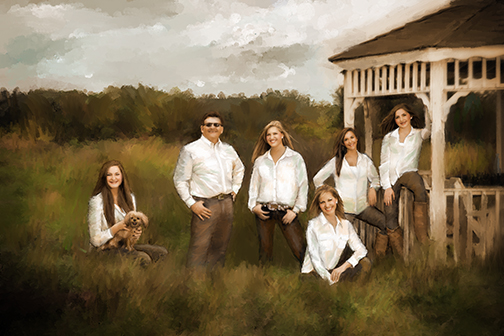
Painting by Karen Sperling.
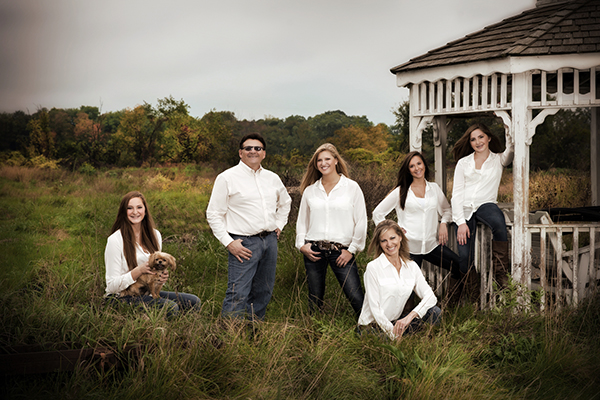
Source photo by Don Ling.
Turning Photos into Paintings with Painterly Cézanne Brushstrokes

Painting by Paul Cézanne.
Paul Cézanne is often called the father of modern painting: a master of structure, color and brushstrokes.
His work bridges the world between observation and imagination and Impressionism and Modern Art, where every mark breathes with energy and intention.
There’s something deeply satisfying about translating that sensibility into our own digital canvases and building forms with planes of color, letting the brushstrokes show and turning a simple photograph into something expressive, luminous and unmistakably painterly.
And in this self-paced Artistry online class, you learn the art theories and Corel Painter or Adobe Photoshop steps for turning your portrait photos into Cézanne-style paintings from Elite Corel Painter Master Karen Sperling.
By studying Paul Cézanne's techniques, you can learn what goes into painting a classic painted portrait to pick and choose design elements to develop your own unique style.
Included with the class are Karen's custom brushes for painting in Cézanne's style.
This class has been completely updated to be compatible with Corel Painter Version 2023. And for the first time ever, separate videos are now available to study the same art and color theories and software steps for Adobe Photoshop, including special custom brushes to help streamline painting for you.
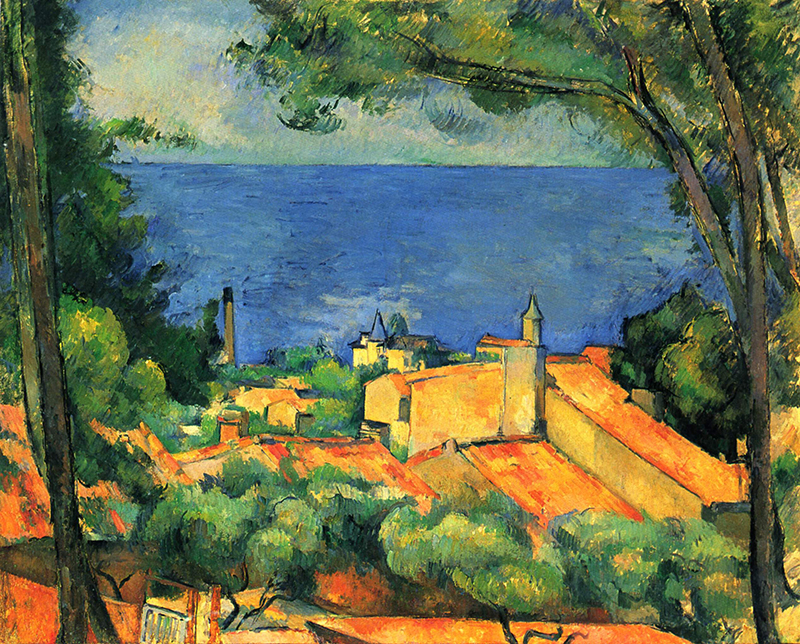
Painting by Paul Cézanne.
Topics covered in the Artistry Online Cézanne class videos include:
• An Overview of Cézanne's style
• How to set up your software for turning photos into paintings
• An Overview of Karen Sperling's custom Cézanne-style brushes
• Painting Faces Part I: Skin
• Painting Faces Part II: Eyes, Noses and Lips
• Painting Clothing
• Painting Hair
• Painting Backgrounds Part I: Painting Outdoors Portrait Backgrounds
• Painting Backgrounds Part II: Painting Abstract Portrait Backgrounds
These videos are currently available and the links are viewable on the Artistry Academy website.
Who this course is for:
Artists, photographers and hobbyists eager to turn photos into digital paintings in Painter or Photoshop.
Who it's not for:
This class is not designed for art teachers or those seeking curriculum-ready content.
Compatibility:
This class has been completely updated and is compatible with current versions of Corel Painter and Adobe Photoshop.
The Cézanne Class is Available in the Artistry Academy of Painting for Photographers
You have your choice of enrolling in the Cézanne class either as part of an Artistry Academy of Painting for Photographers membership or as a standalone class.
To enroll in the Cézanne class as part of the Artistry Academy of Painting for Photographers, please click here.
To order the Cézanne class as a standalone, please click the Add to Cart button below.
Yes! I'd like the Artistry Online Class #8: Painting Cézanne-Style Portraits Based on Photos for either Corel Painter or Adobe Photoshop or Both
$99 For either Corel Painter or Adobe Photoshop$168.30 15% Bundle Savings when you order both the Corel Painter and Adobe Photoshop versions
| Which software option do you prefer? |
Please note: The Artistry Online class video links aren't automatic. A person sends them to you. You will receive the video links within 24 hours of your order during regular business hours Monday through Friday U.S. Pacific Time. If you have ordered the Cézanne class in the past, please contact Karen Sperling for the updated videos at no charge. Please include proof of purchase in your correspondence.
Thank you for your order!

Stay in the Artistry loop!
Sign up for our mailing list to receive news about Corel Painter and Adobe Photoshop tutorials; new custom brushes; new savings and all things painterly from Karen Sperling's Artistry and The Artistry Academy of Painting for Photographers!